
Web Design And Tech Tips
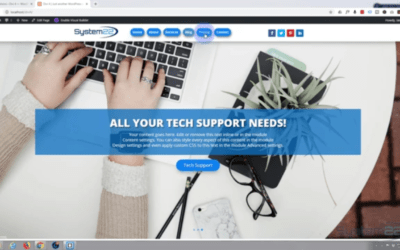
Divi 4 How To Clear The CSS File Cache,
I ran into an interesting problem when trying to clear some CSS on my Divi 4 website. I had written some custom CSS code for my menu links, to turn them into pill shaped buttons. I decided to delete the CSS and return the links to their normal state with no decoration. I went into my custom CSS panel by coming to dashboard, divi, and then theme options. On the general tab the custom CSS box he’s at the bottom off the page.
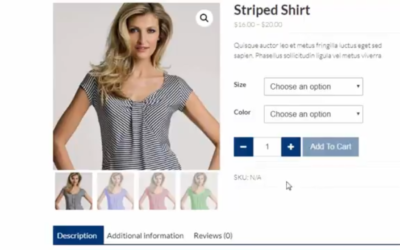
Woocommerce How to create a variable product with Woocommerce
How to create a variable product with WooCommerce. Here’s a short video from our forthcoming ecommerce course, showing how to set up the WooCommerce...
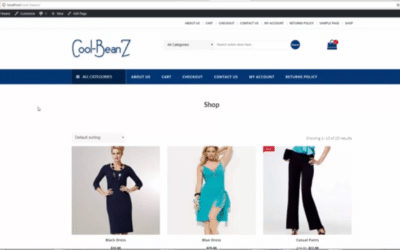
WooCommerce Product Categories not showing in Menu settings
WooCommerce Product Categories not showing in Menu settings. Here’s a short video explaining how to fix the problem of products categories not available in menu settings with WooCommerce. Little things like this can be really frustrating, thankfully it’s a very easy fix. So, follow along and see how to fix WooCommerce product categories not showing in the menu settings.

Export and import products into WooCommerce
Export and import products into WooCommerce. There are many plugins that allow you to export and import products into WooCommerce. Most of these are...

Why And How To Optimize Your Website Images
Optimizing your website images is an important factor to take into account. Although internet speeds have increased
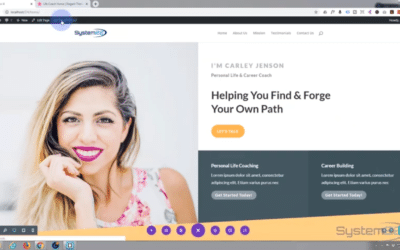
Build a multi-page website in 20 minutes with the new Divi 4 theme
In this video we’re going to show you how to build a multi-page website in a very short time using the fantastic Divi 4 theme from elegant themes.

Divi Theme Black Friday Huge Sale And Prizes
$1,000,000 In Prizes From Divi: We are giving away over $1 million in FREE prizes to everyone who takes advantage of our Black Friday sale...

How to import wordpress posts with images
Import and Export WordPress blog posts with the included images. You may be rebuilding your own site or building a new site for a customer and need to export the posts from one WordPress site, and then import them to another WordPress site. This is made very easy with WordPress you don’t need to download any external plugins, as all the tools you need are included.
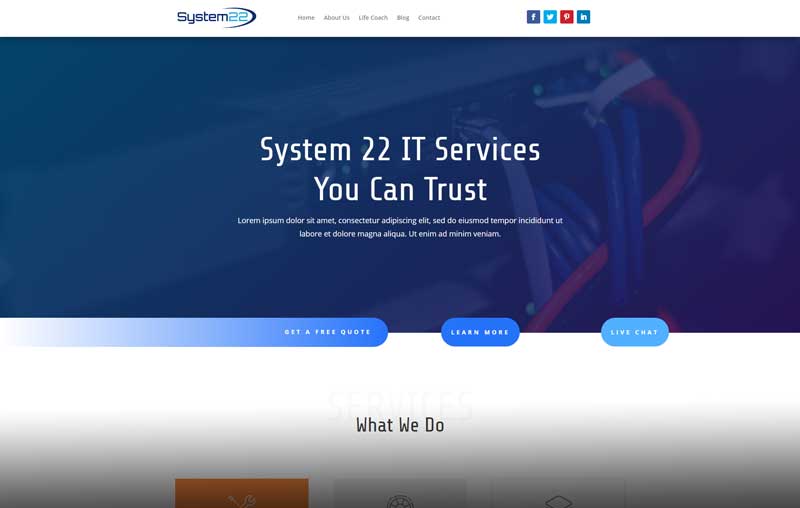
Build A One Page Scrolling Site In 15 Minutes With The Divi 4 Theme
https://youtu.be/AWM8mFPmUcs In this video we are going to show you how to create a one-page scrolling website in about 15 minutes. We are going to...

Woocommerce Fix Sorry, this file type is not permitted for security reasons
https://youtu.be/0V3hMTnNQrU WooCommerce Fix Sorry, this file type is not permitted for security reasons. WooCommerce is the go-to plugin for anyone...

Elementor WordPress Plugin Image With Link And Hover Effect
https://youtu.be/b9kMSCkMYpY Elementor WordPress Plugin Image With Link And Hover Effect. Elementor is a free WordPress plugin that has some...

Elementor WordPress Plugin Section Row And Title Setup
https://youtu.be/0Twu082AWzQ Elementor WordPress Plugin Section Row And Title Setup. Elementor is a great free WordPress page builder plugin. In...

Divi Theme Pop Out Text Reveal Module On Hover
https://youtu.be/46IonRAyOkk Divi Theme Pop Out Text Reveal Module On Hover. The Divi theme from elegant themes is absolutely awesome. Whenever I...

Elementor WordPress Plugin Download Install And Page Setup
https://youtu.be/L3ebwviV0Oo Elementor is a great free WordPress page builder plugin. In this series of videos we will go from initial install to...

Woocommerce Add Text And Button To All Products At Once
https://youtu.be/UWDhgNcbRZU Woocommerce Add Text And Button To All Products At Once. In this woocommerce tutorial video we are going to edit a...
Unleash Your Creative Potential: Mastering Divi, Elementor, and Bootstrap with Our Tutorial Videos
Are you ready to take your web design skills to new heights? In 2023, the dynamic trio of Divi Theme, Elementor Builder, and Bootstrap 5 is here to revolutionize your design process. But why stop there? By utilizing tutorial videos, you can unlock the full potential of these tools and create stunning websites that leave a lasting impression. Let’s dive in and discover how tutorial videos can be your secret weapon in mastering Divi, Elementor, and Bootstrap 5.
1. The Versatility of Divi Theme:
With Divi Theme, you have the power to design captivating layouts without any coding skills. Its drag-and-drop functionality allows you to effortlessly create stunning designs that adapt seamlessly across devices. From its extensive library of modules to its customizable options, Divi Theme offers endless possibilities for expressing your creativity.
Divi Video Tutorials
2. Unleashing Creativity with Elementor Builder:
Elementor Builder takes your web design game to the next level. Its intuitive interface and powerful features empower you to design pixel-perfect layouts in real-time. With a plethora of widgets, templates, and third-party integrations at your fingertips, Elementor opens up a world of creative possibilities. Get ready to add dynamic effects and bring your designs to life like never before.
Elementor Tutorial Videos
3. Harnessing the Power of Bootstrap:
Bootstrap is your go-to framework for building responsive and mobile-first websites. Its robust grid system and CSS components simplify the process, ensuring your designs look great on any screen size. By combining Bootstrap 5 with Divi Theme and Elementor Builder, you can create visually stunning and highly functional websites that impress your audience.
Bootstrap Tutorial Videos
Use Our Tutorial Videos for Enhanced Design:
Now, let’s talk about tutorial videos, your secret weapon for mastering these powerful tools. Online platforms provide a treasure trove of video guides that walk you through every step of the process. These videos offer invaluable insights, tips, and tricks to elevate your design skills and help you create exceptional websites.
WordPress Tutorial Videos
By following out tutorial videos, you’ll gain a deeper understanding of best practices, industry trends, and innovative design techniques. Learn how to maximize the potential of Divi Theme, Elementor Builder, and Bootstrap 5 by exploring advanced features and troubleshooting common issues. These videos foster continuous learning, ensuring you stay up-to-date with the latest advancements in web design.
Complete Series Videos
After watching our videos you will be equipped with the knowledge and tools to unlock your creative potential using Divi Theme, Elementor Builder, and Bootstrap. Remember, tutorial videos are your trusted companions on this journey. They provide step-by-step instructions, insider tips, and inspiration to take your designs to new heights.
Embrace the power of Divi, Elementor, and Bootstrap, and immerse yourself in the vast world of our web design tutorial videos. Let your creativity soar as you master these tools and create breathtaking websites that leave a lasting impact. Get ready to wow your audience and make your mark in the world of web design in 2023 and beyond!