

Divi Theme How To Add Animated Floating Social Media Icons
How to create an eyecatching animated Social Media Icons bar with the Divi Theme. In this video we will be showing how to create this feature using the inbuilt options included in the Divi theme and a bit of CSS Code

Divi Theme Add An Animated Facebook Icon
How to create an eyecatching animated facebook icon with the Divi Theme. In this video we will be showing how to create this feature using the inbuilt options included in the Divi theme and a gif from Iconscout ( Link Below ).
Divi Theme Create A Full Screen Coming Soon Page
How to create a full screen, full width coming soon page with the Divi Theme. In this video we will be showing how to create these features using the inbuild options included in the Divi theme itself.
Divi Theme Create 3 Simple Image Animations No Coding
How to create 3 image animations with the Divi Theme. In this video we will be demonstrating how to create these features using a Divi Image Module and The Divi Filters.

Divi Theme How To Link To Specific Sections On A Different Page
How to create menu items that will link and scroll to specific sections on any page with the Divi Theme. In this video we will be demonstrating how to create this feature using inbuilt features of the Divi Theme. This will also work on any WordPress or HTML website.
Divi 4 Image With Gradient And Text Overlay On Hover
How to create an eye catching image to text hover effect with the Divi Theme. In this video we will be demonstrating how to create this feature using inbuilt features of the Divi Theme.

Divi Theme Animated Tickertape News Scrolling Banner
How to create an eye catching tickertape scrolling text message with the Divi Theme. In this video we will be demonstrating how to create this eye catching feature using a Divi Text Module and a bit of CSS Code.
Divi Theme How To Make A Popup Out Of Any Content Without A Plugin
How to popup any contyent from any module without using a plugin, with the Divi Theme. In this video we will be demonstrating how to create a section and have it popup into a lightbox when a user Clicks on the module you want to use as the trigger.

Divi Theme How To Reveal A Section On Hover
How to reveal a hidden section on hover with the Divi Theme. In this video we will be demonstrating how to edit a section and create a hover effect that will reveal the content when a user puts their mouse on it.

How can A.I. be used in web design in 2023
In recent years, artificial intelligence (AI) has made significant strides in transforming various industries, including web design. AI can be used to enhance the user experience, improve website functionality, and increase efficiency.

Divi Theme Custom Responsive Woocommerce View Product Buttons
In this video we will be demonstrating how to add a bit of PHP code to add these buttons to a Divi Theme site. this will work on any wordpress site.

Divi Theme Responsive Woocommerce Add To Cart Buttons
How to make your woocommerce add to cart buttons responsive, with the Divi Theme. In this video we will be demonstrating how to create this feature using some custom CSS code.

Divi Theme Complete Website In 40 Minutes with ChatGPT
How to create a one page scrolling website with the Divi Theme. In this video we will be demonstrating how to create this site using a Divi template and using content created with ChatGPT from open ai.
Divi Theme Color Changing Animated Background With ChatGPT
How to create aa animated color changing background for any section, row or module, with the Divi Theme. In this video we will be demonstrating how to create this feature using a Divi Blurb Module and some CSS code generated by ChatGPT.

Divi Theme Create An Expanding Blurb Module Hover Effect
How to create a blurb module that will expand to reveal more content on hover with the Divi Theme. In this video we will be demonstrating how to create this feature using a Divi Blurb Module
Divi Theme Full Width 3D Post Carousel
Divi Theme how to create an 3D effect automatic post slider with Divi Supreme Modules Pro. Today we will be using the Supreme Modules to demonstrate this great feature.

Divi Theme Create A Simple Flip Box With ChatGPT
How to create a simple flipbox with the Divi Theme and ChatGPT. In this video we will be demonstrating how to create this feature using a Divi Code Module and some HTML and CSS code generated by ChatGPT.
Divi Theme Create A Full Width Full Screen Image Slider
How to create a full width and full screen automatic slider with the Divi Theme. In this video we will be demonstrating how to create this feature using a Divi Full Width Section

Divi Theme Sticky Announcement Bar On Scroll
Divi Theme Sticky Announcement Bar On Scroll How to create an announcement bar that sticks to the top of the page when scrolling. In this video we...
Divi Theme Text Over Image On Hover With Background Blur
How to create an awesome text over image hover effect with the Divi Theme. In this video we will be demonstrating how to create this feature using the Divi Blurb Module.

Is This The Best Divi Carousel Ever?
How to create an awesome carousel that displays whole sections with the Divi Theme. In this video we will be demonstrating how to create this feature using the Divi Wow Carousel Plugin (link below).
Today we will be demonstrating how to build this feature with Sections saved to the Divi Library.
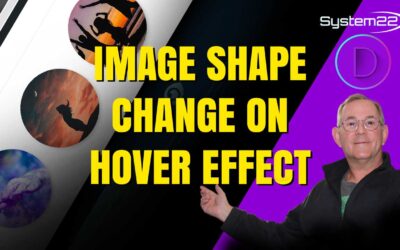
Divi Tips You Didn’t Know Image Shape Change On Hover Effect
How to create an awesome image hover effect with the Divi Theme. In this video we will be demonstrating how to change an image from round to square and make it grow when a user hovers their mouse over it.
Design Like a Pro Learn How to Use Divi Theme Background Options
How to add a background images,videos, patterns and more with the Divi Theme. In this video we will be demonstrating how to add and blend background effects on a Divi Section. This is also available in any row or module.
Divi Theme Section Background Image Blur On Hover Effect
How to add a background image blur hover effect with the Divi Theme. In this video we will be demonstrating how to add a bit of CSS code to our Divi Row. This will enable us to combine it with a background blur to achieve our hover effect.